

- Matching: it compares the series with the counterpart series. The counterpart series is the series that the other side sent for the same trade.
- Confirmation: it gives the value that it will use for each quarter-hour. When the two sides agree, this is your value. When they do not agree, the rules of the market decide the value.
What the market sends
The market answers a revision with up to three kinds of message:- An acknowledgement tells if the revision passed the checks of the market. It can also refuse one series or accept a late series only from the next gate closure.
- An anomaly report tells which series do not match.
- A confirmation report gives the values that the market will use.
Matching
Each series has a match status. The status tells if the market checked the series and if your series agrees with the counterpart series. When a series does not match, Engrate shows the causes that the market gave. If the market sends them, you can also compare your values with the values of your counterparty for each quarter-hour. A series that does not match is not lost. Until the deadline of the market, you or your counterparty can send new values. Handle a mismatch shows how.Confirmation
The confirmation gives the value that the market will use for each quarter-hour. The market can use your value or a different value. It can also set a value for a quarter-hour that you did not send. In some cases, the market rejects the whole series.Why a value changed
When the market uses a different value, the confirmation tells why if the market gives this information. For example, the market can use the value of the side with precedence or set the value to zero. The confirmation also shows the reason codes and texts from the market.Finality
Each confirmed value is intermediate or final. An intermediate value can still change. A final value always replaces an intermediate value, also when the intermediate value arrives later. In the Netherlands, TenneT does not mark values as final. Because of this, all Dutch values stay intermediate.In the console
The console shows the same state on each schedule’s page: the match status and confirmation of every series, and for a series that does not match, your values against the counterparty’s.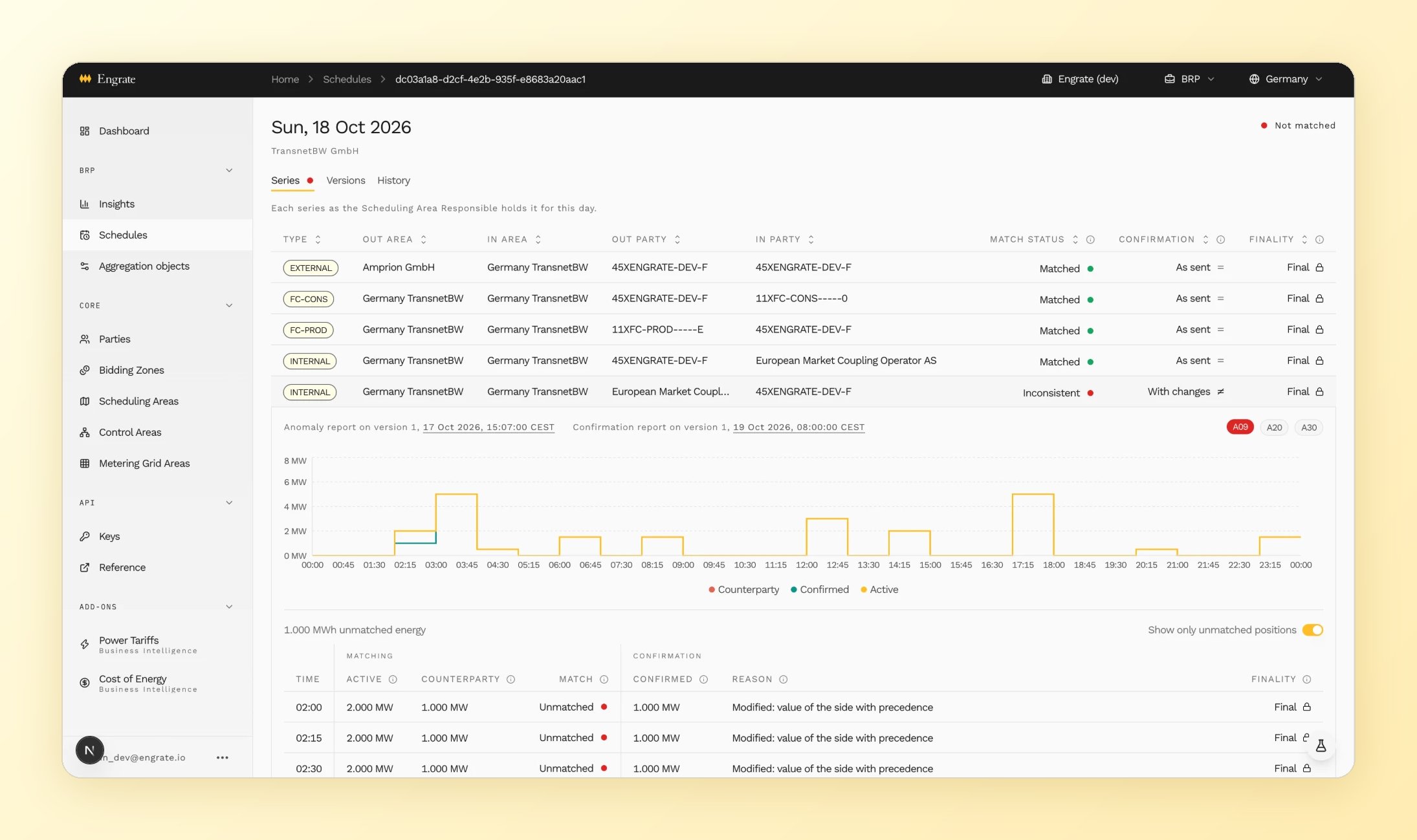
An inconsistent series: the anomaly reason, your values against the counterparty's, and the values the Scheduling Area Responsible confirmed